
XDEEP wing: bypassing the 12-character limit
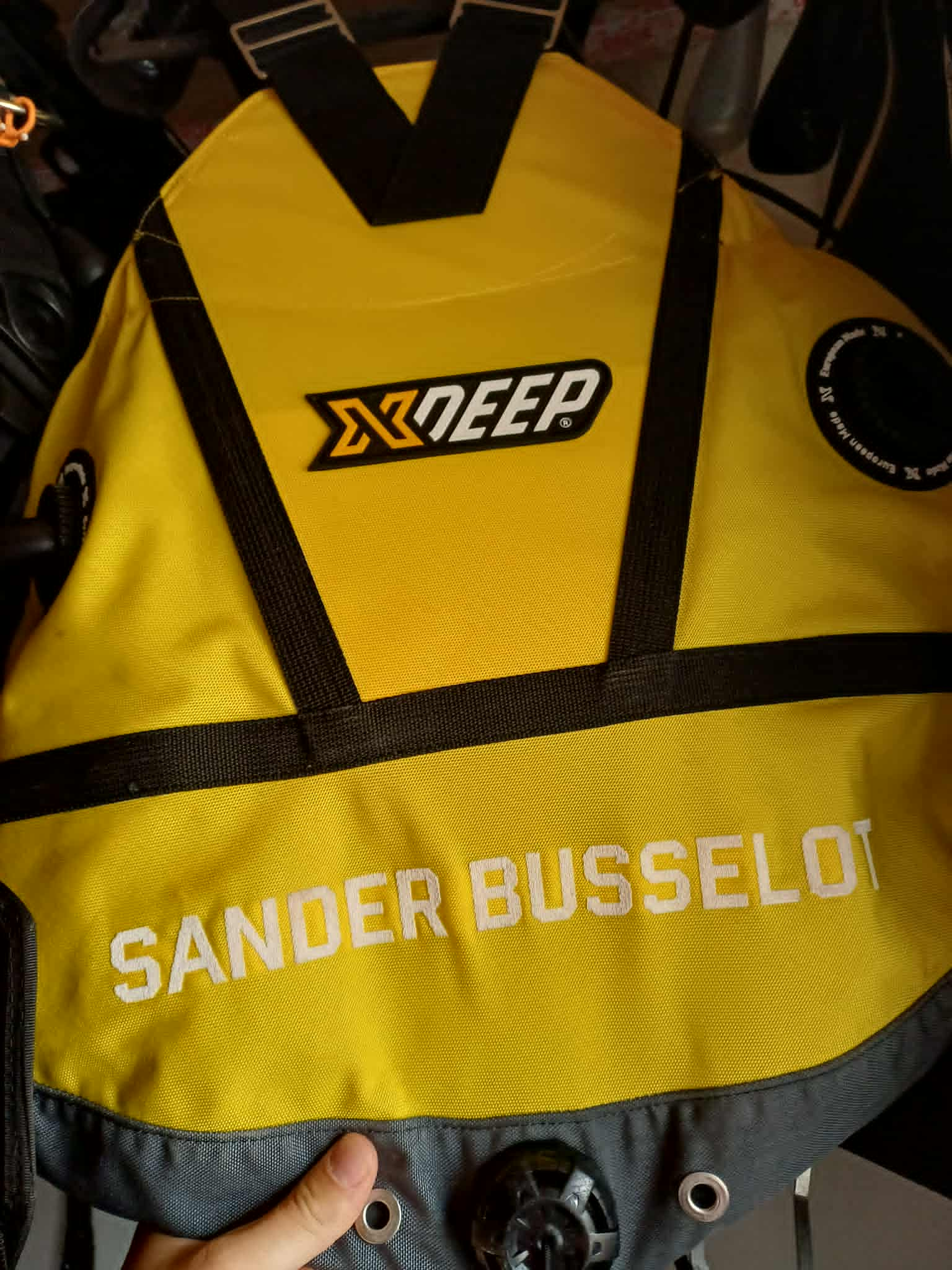
As you can see, my XDEEP wing shows my full name: “Sander Busselot”. At first glance there’s nothing special about that, but anyone who has ordered a personalized wing from XDEEP knows there’s a 12-character limit for the embroidery. My full name including the space between first and last name totals 15 characters. Several people asked how I managed this and assumed I had contacted XDEEP directly to get an exception…
But that wasn’t the case. I took a calculated risk with a small frontend tweak.
Disclaimer
I was careful and accepted the risk. If you try this after reading this article, you and you alone are responsible if your wing doesn’t turn out the way you want.
That said, here’s a short guide so you can do it yourself.
How to bypass the 12-character limit (step-by-step)
- Go to the name/text field in the configurator
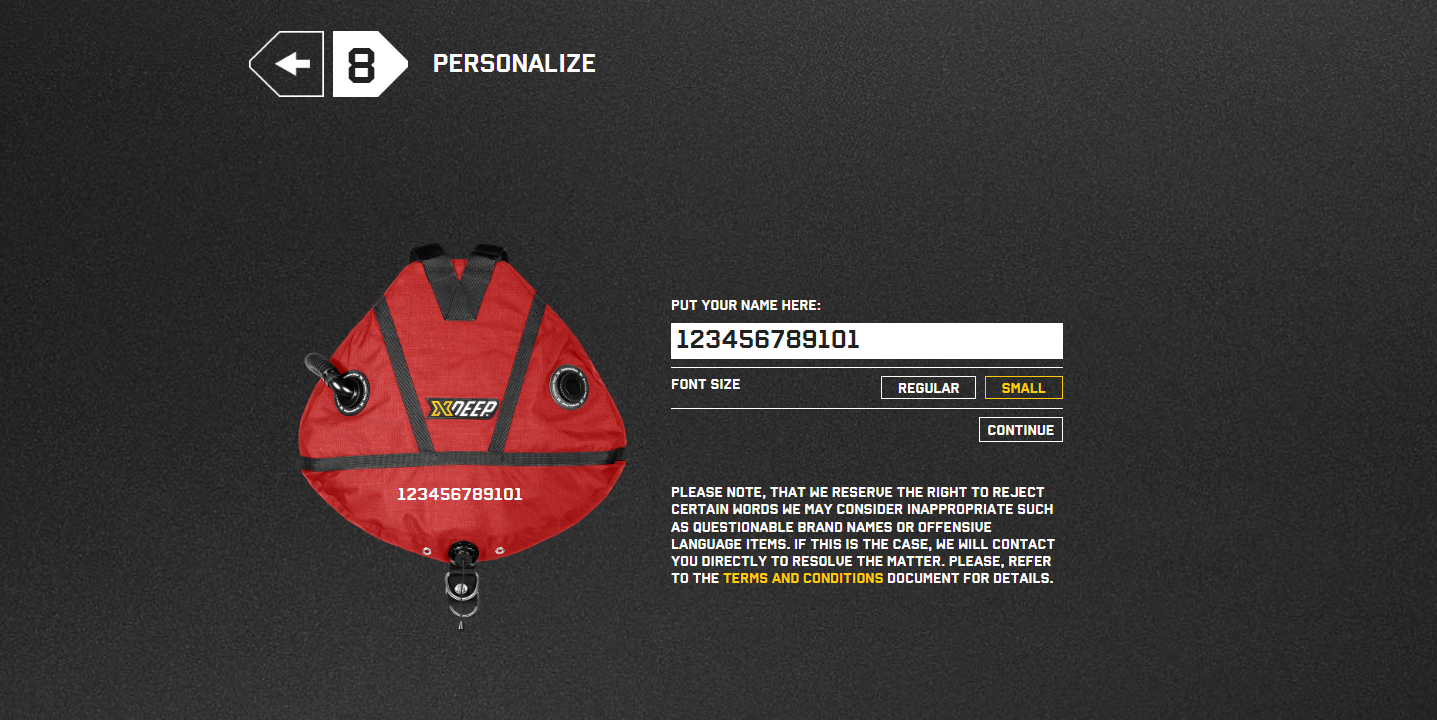
When you reach the step where you enter the name or text for the wing, try typing more than 12 characters.
You’ll notice you can’t: the input stops accepting characters after 12.
-
Use the Small font size (optional but recommended)
I selected the Small font size for my order to increase the chance it would look clean and fit nicely.Remember: only you are responsible, so minimize the risk of ruining your XDEEP wing.
-
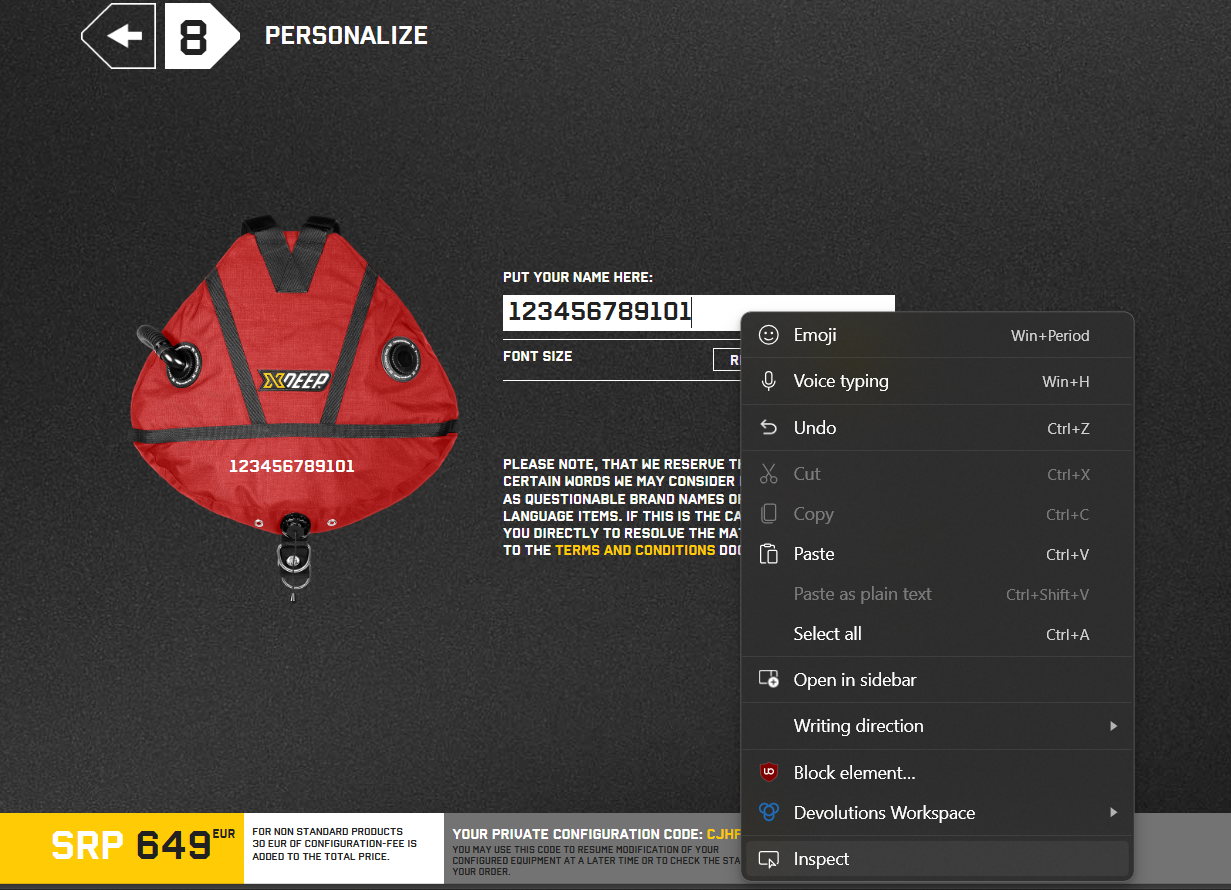
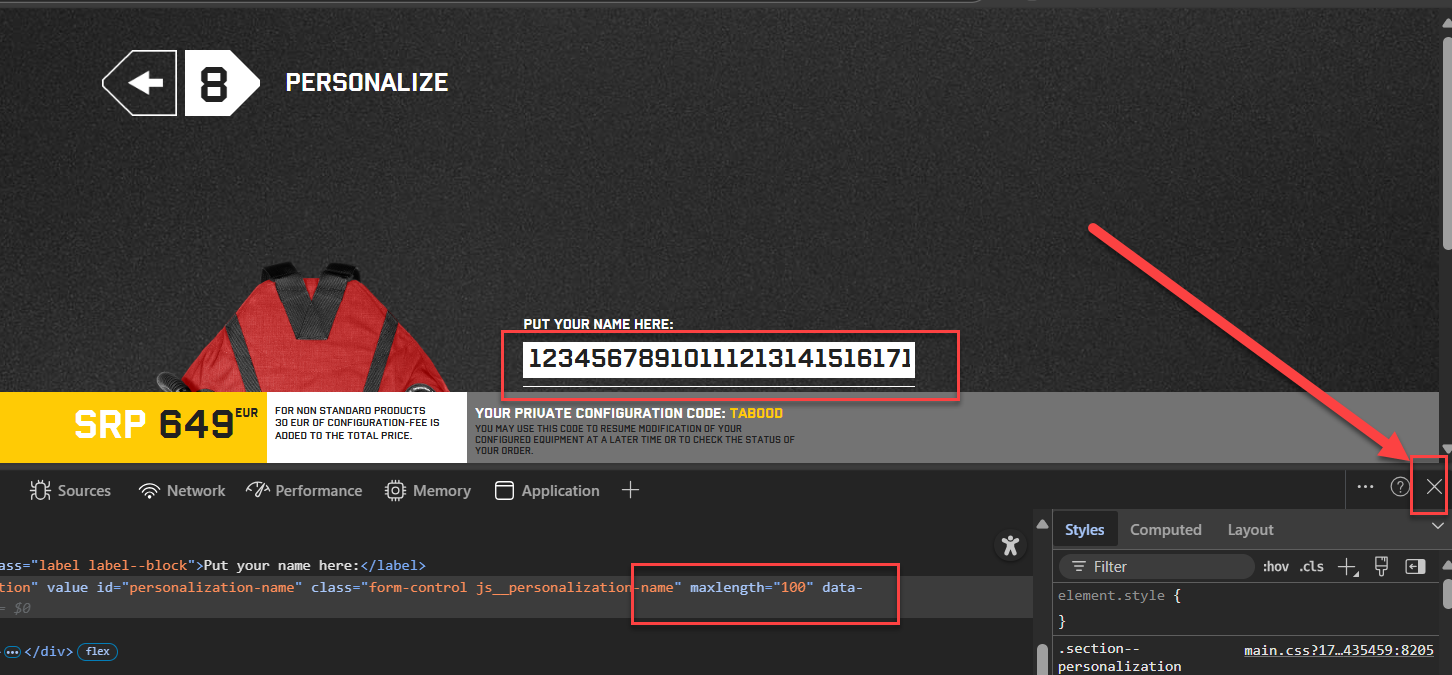
Open DevTools on the name field
Place your mouse cursor in the name/text field and right-click and choose Inspect.
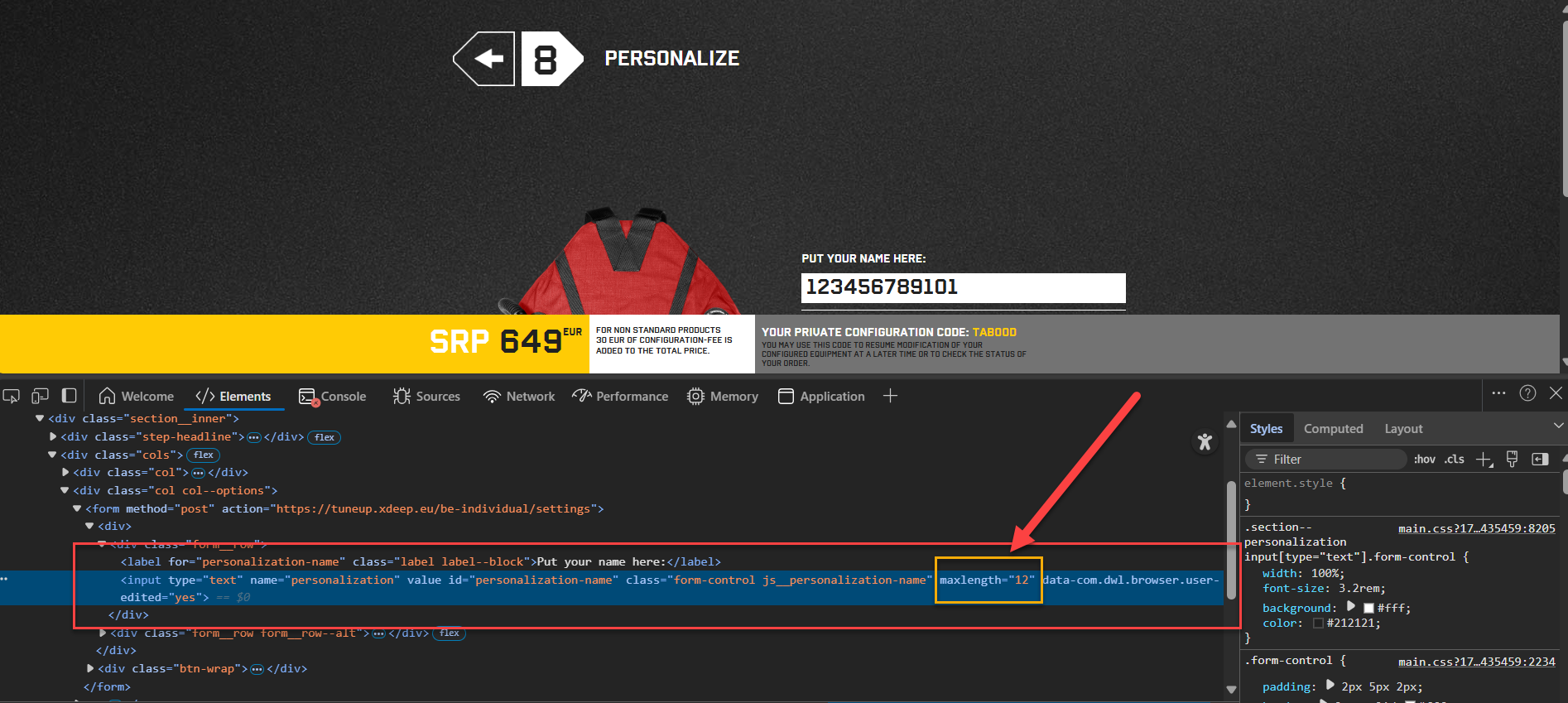
- Find the highlighted input element
DevTools opens and the relevant part of the page is highlighted (usually in blue). You should see the HTML for the input element used for the name.
-
Change the
maxlengthattribute
In the highlighted code, look for something likemaxlength="12".
Double-click the value12and change it to e.g.100.
Press Enter to apply the change.<input type=“text” name=“wingName” maxlength=“12” />
<input type=“text” name=“wingName” maxlength=“100” />
-
Enter your longer text
You can now type up to 100 characters (or whatever value you set) in the name field and continue configuring your wing.
Close DevTools (the × button on the right) when you’re done.
- Review the final preview carefully
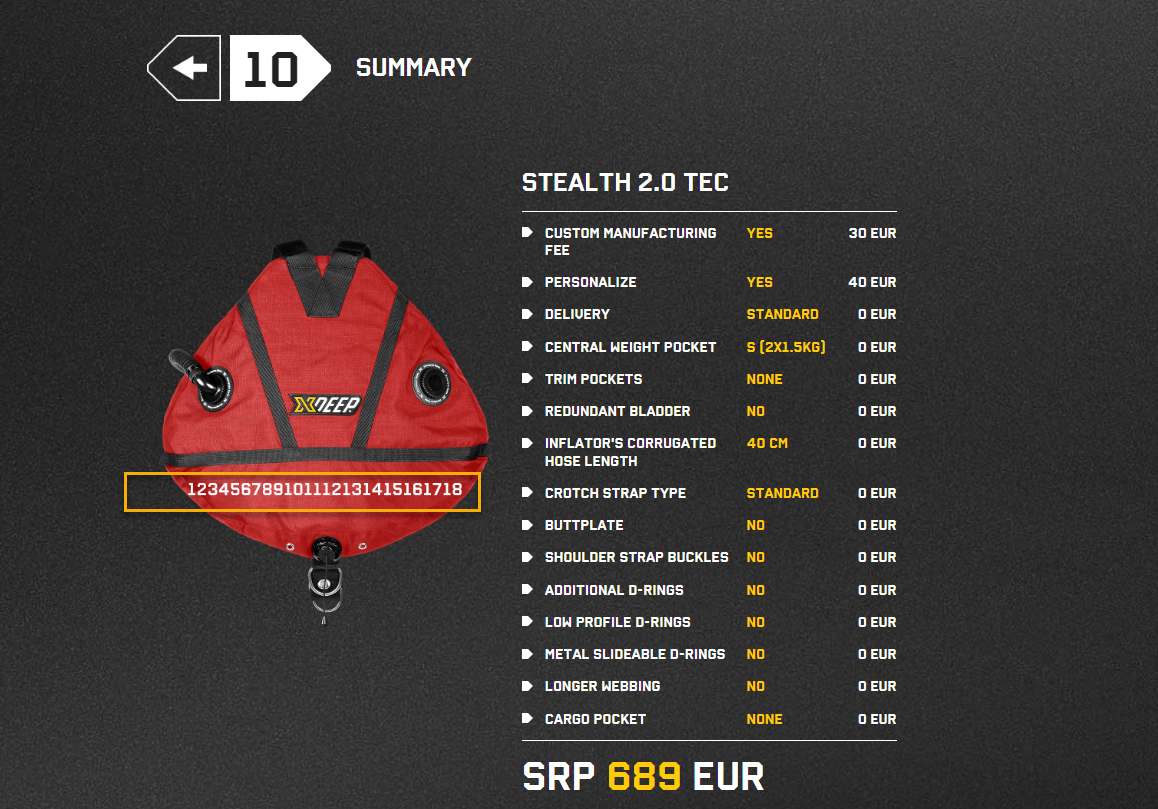
Keep going through the configurator. At the end, you’ll see a final preview of how your wing will look.
Fit & safety notes
In my last preview, the text came very close to the edge of the wing. I don’t recommend this.
It’s safer to leave left and right margin so you can be more confident the wing will arrive exactly as you intended.
One more time, to be crystal-clear: you and you alone are responsible if your wing does not arrive as expected when using this method.
If you order a wing using this method and it arrives nicely, feel free to tag me on your socials I’d love to see your creations!
To XDEEP
This “little issue” is very easy to fix by validating the value again in the backend (not only in the frontend) so the character count can never exceed 12. As end-users of your TuneUp tool, we cannot modify backend behavior ourselves.